

Project platform for architecture, engineering & construction
Power Up!
Drawings, field walks, markups and project files in one place — organized the way architects already file work, and usable on the desk, the tablet and the jobsite.
Desktop · Tablet · Phone
01 · Platform
Five places to work. One project record.
Every module reads and writes the same project, so a pin dropped on site, a markup on a sheet and a file in a folder all stay connected.
Home
What needs you today: open walks, overdue items and recent revisions across every project.
The Grid
Your portfolio of projects at a glance, with status, project number and colour on every card.
Projects
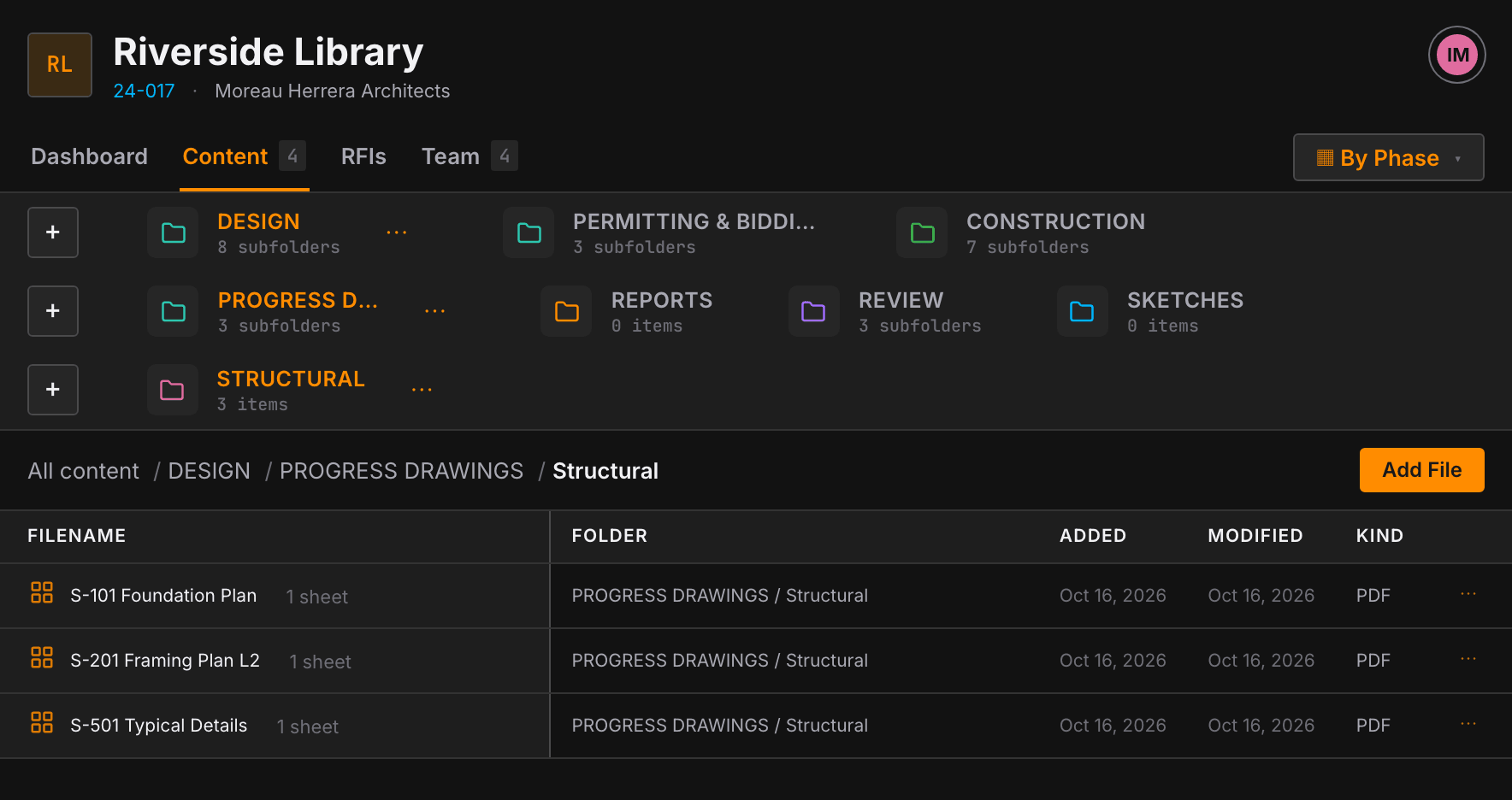
Dashboard, Content and Team for each job. Folders stack as tiles so you can drill four levels deep without losing your place.
Field
Site walks, pinned photos and assignments, resumable when you get pulled away mid-walk.
Workspace
Open a sheet to mark up, measure and run takeoff, then export or flatten the result.
02 · Lifecycle
Filed the way the project actually runs.
Start from the By Phase template or the discipline template, or save your own layout as a template for the next job.
01
DESIGN
Progress drawings by discipline
Consultant sets and coordination
Markup and measure on any sheet
02
PERMITTING & BIDDING
Permit submissions and comments
Bid sets and addenda
Quantity takeoff from drawings
03
CONSTRUCTION
Site walks with pinned photos
Field assignments to the team
RFIs and revisions
Field
Walk the site, pick up where you left off.
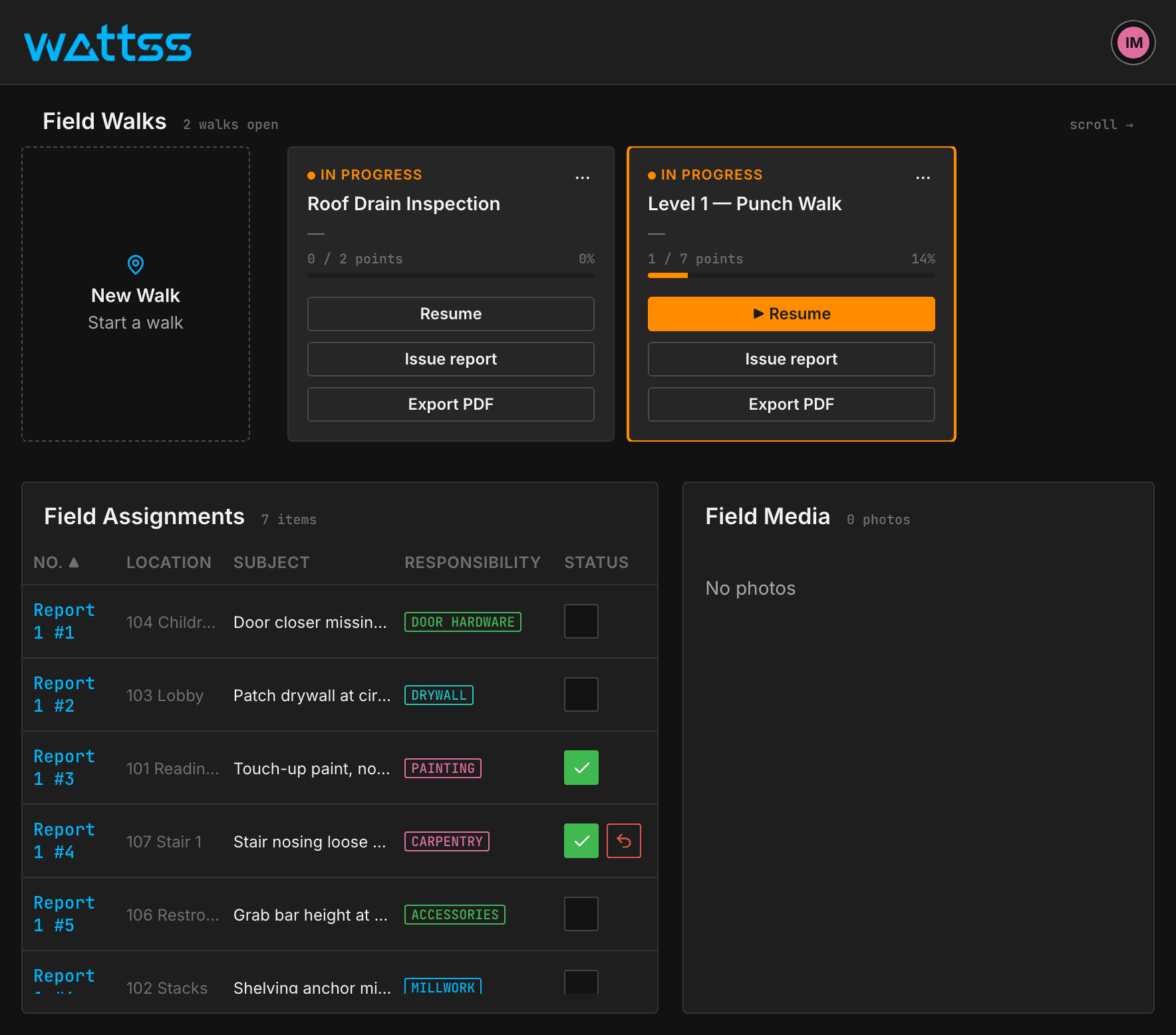
Start a walk from Field and every photo is pinned to the sheet location. Several walks can stay open at once and resume from the Field landing page.
Multiple open walks, each resumable
Assignments sit beside the media they came from
Built for one-handed use on a phone
Workspace
Mark up, measure and take off on the sheet.
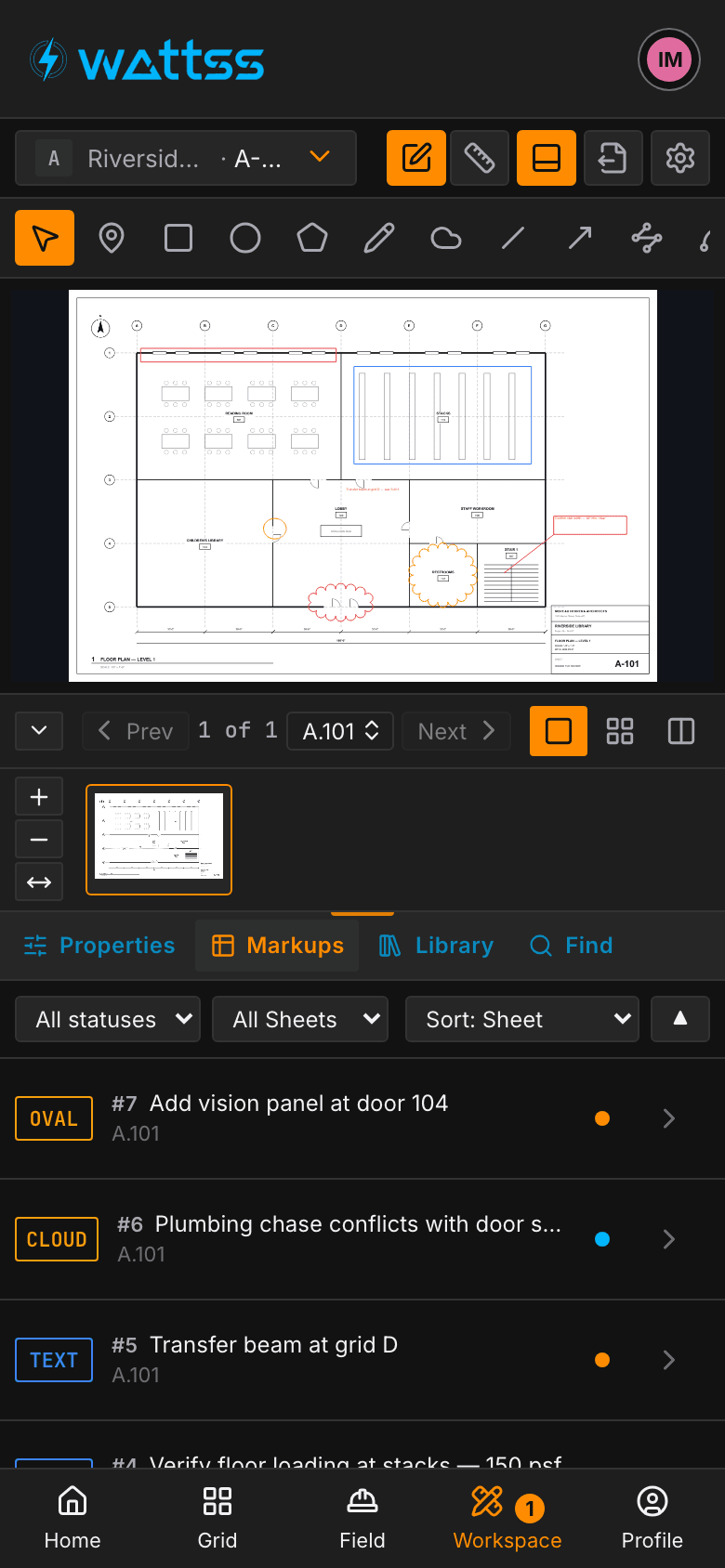
The drawing gets the screen. Markup and Measurement toolbars sit on a compact rail, and the panel holds Markups, Properties, Library, Takeoff, Find and Layers.
Markup and measurement toolbars
Takeoff straight from the drawing
Export and flatten in one step
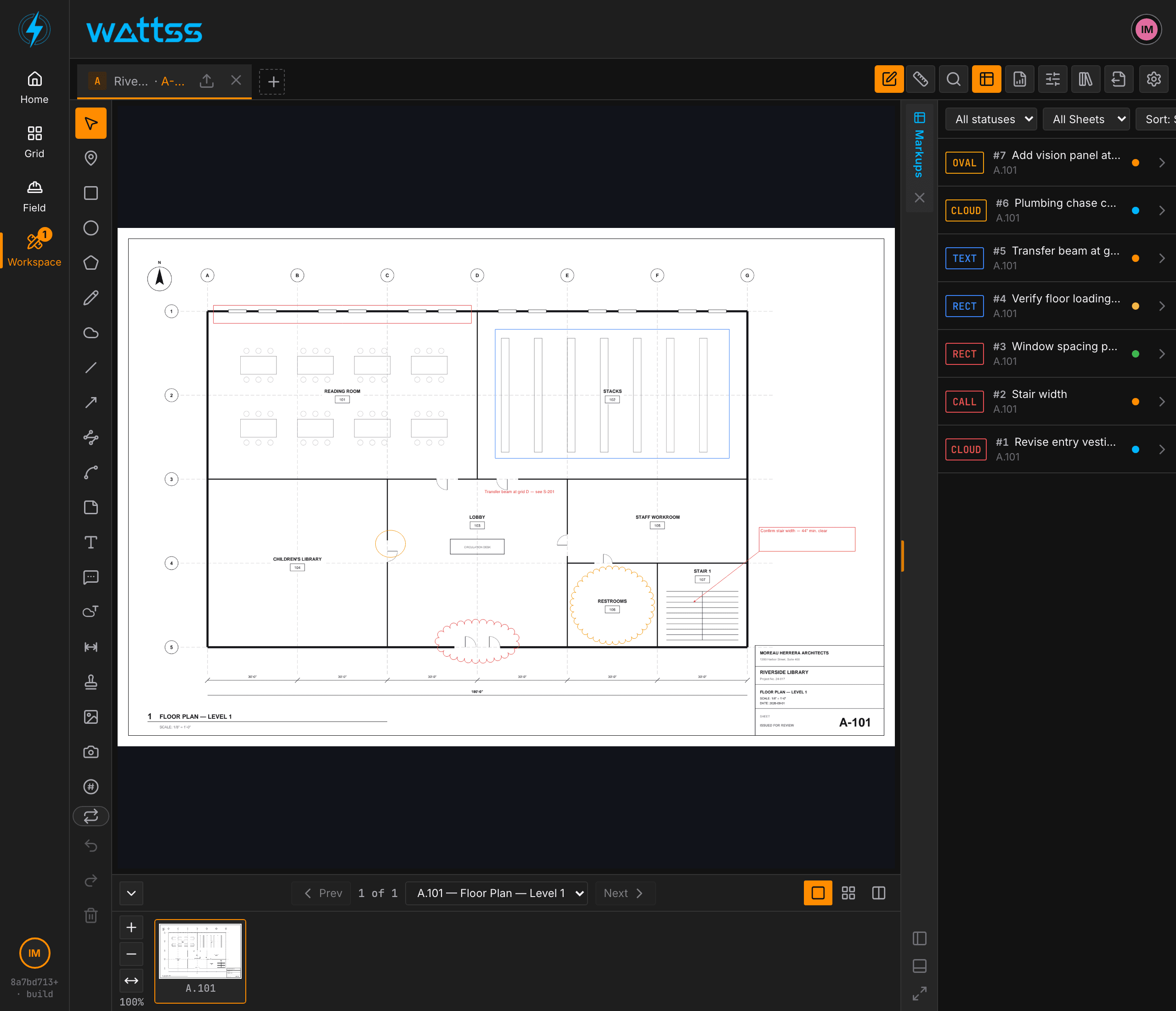
1600 × 1000
Desktop
Full workspace with the persistent left rail for coordination and production.
1112 × 834
Tablet
Same layout in landscape, sized for touch, for reviews in the trailer or on site.
390 × 844
Phone
Bottom tabs and stacked folder tiles for walks, photos and quick lookups in the field.